
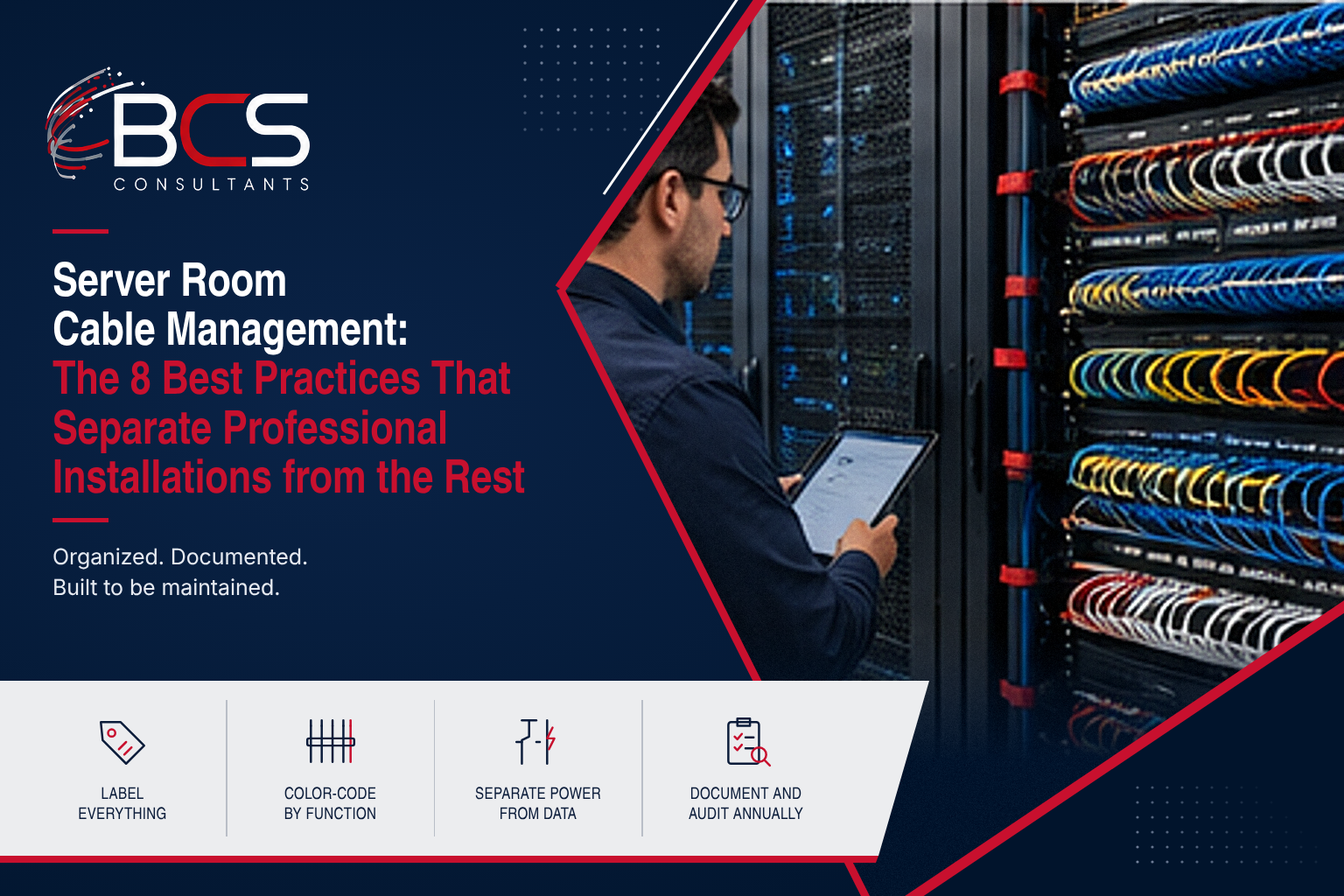
An unmanaged server room does not just look bad. It costs money every time something breaks, moves, or needs to be troubleshot. Cable identification takes 20 minutes instead of 20 seconds. Changes require tracing cables through a tangled mass rather than following a labeled, color-coded system. Airflow is compromised by cable bundles blocking hot and cold aisles. And the risk of accidental disconnection during maintenance is significantly higher.
BCS Consultants is an RCDD-certified structured cabling integrator. The difference between a professionally managed server room and a chaotic one comes down to eight practices that cost little extra to implement correctly the first time and save significant money over the life of the installation.
Best Practice 1: Label Everything Before Installation
Every cable should be labeled at both ends before it is run. Labels should include the source port, destination port, and cable identifier (matching a cable schedule). Labeling after installation — trying to apply labels to cables already in place — is significantly more difficult and produces less readable results. Use heat-shrink or wrap-around labels rated for the environment, not adhesive labels that peel.
Best Practice 2: Use a Consistent Color-Coding Scheme
Assign colors by function and document the scheme in a cable schedule that lives in the rack. Common conventions: blue for data (Cat6A horizontal runs), yellow for voice, green for cross-connects, orange for fiber, red for critical circuits, white for storage networks. Consistency across the entire installation means that any technician can immediately understand the cable's function by color alone.
Best Practice 3: Separate Power from Data
Power cables and data cables should be routed in separate pathways — ideally on opposite sides of the rack or in separate cable management channels. Parallel runs of power and data cables create electromagnetic interference that can degrade network performance. Crossings should be at 90-degree angles, not parallel runs. This is a requirement of TIA-568 and a non-negotiable installation standard for BCS Consultants.
Best Practice 4: Right-Size Your Cable Lengths
Over-length cables create loops and bundles that impede airflow, make troubleshooting more difficult, and look unprofessional. Under-length cables create tension that can damage connectors and restrict future moves. Pre-cut cables to length for structured cabling work. For patch cables, maintain a stock of multiple lengths (1ft, 2ft, 3ft, 5ft, 7ft, 10ft) and select the shortest length that reaches the destination with 2 to 4 inches of slack.
Best Practice 5: Use Cable Management Panels Between Patch Panels and Switches
1U horizontal cable managers installed between patch panels and the switches they connect to route patch cables horizontally to the sides of the rack before descending to the switch port. This prevents the "waterfall" of cables hanging directly from the patch panel across the switch face — which blocks switch port visibility, impedes airflow through the switch, and makes moves and changes significantly more difficult.
Best Practice 6: Plan for Growth with Slack Storage
Every rack should include a slack storage solution — typically a D-ring hook, vertical cable manager, or dedicated slack storage panel — where excess cable length is neatly coiled rather than draped across other cables. When you need to move a device or extend a run, the slack is available and organized.
Best Practice 7: Document as You Go
A cable schedule documenting every cable in the rack — with source port, destination port, cable identifier, cable type, and length — should be created during installation, not reconstructed afterward from physical tracing. The cable schedule, combined with a rack elevation diagram, creates the documentation package that allows anyone to work in the space without needing to ask what anything is connected to. BCS Consultants delivers as-built documentation on every structured cabling installation.
Best Practice 8: Conduct Annual Cable Audits
Server rooms are not static. Equipment changes, additions, and removals over time create orphaned cables — cables connected at one end but not the other — that add to cable density without serving any function. An annual cable audit traces every cable, removes orphans, updates documentation, and ensures the cable management practices remain intact as the environment evolves.
Server Room Cable Remediation: What to Expect When You Call BCS Consultants
Many organizations contact BCS Consultants not for a new installation, but to fix a server room or network closet that has deteriorated over years of undocumented changes, accumulated orphaned cables, and deferred maintenance. Cable remediation — the process of tracing, documenting, removing, and reorganizing existing cabling — is a specialized service with a structured, non-disruptive process.
Step 1: Initial Assessment and Documentation
BCS Consultants begins every cable remediation project with a complete photographic documentation of the existing installation from every angle, before touching anything. This baseline documentation is the reference for everything that follows and provides the client with a before-and-after record of the project. BCS Consultants also assesses the scope of remediation — identifying the quantity of orphaned cables, labeling gaps, cable management hardware deficiencies, and any immediate issues (overloaded patch panels, unsupported cable weights) that need to be addressed.
Step 2: Cable Tracing
Every cable in the space is traced — both ends identified, the circuit documented, and the cable marked with a temporary identifier. Orphaned cables (connected at one end but not the other, or disconnected at both ends) are identified and flagged for removal. Live circuits are documented in a cable schedule spreadsheet that becomes the foundation of the as-built documentation delivered at project completion. For complex environments, BCS Consultants uses a cable management database that associates each cable with its circuit, equipment, and port-level details.
Step 3: Active Circuit Preservation and Reorganization
Before removing any cable, BCS Consultants confirms with the client IT team that each cable is safe to touch. Live circuits that support production systems are tagged and left in service until a maintenance window is scheduled for reorganization. No active circuit is disrupted without explicit coordination with the client IT team. Once orphan cables are removed, remaining active cables are routed, bundled, and secured according to the cable management plan. New cable management hardware is installed as needed, and labels are applied at both ends of every remaining cable.
Frequently Asked Questions
What is the best way to organize cables in a server room?
Start with a cable management plan before installation: define the color-coding scheme, label all cables before running them, separate power from data, use horizontal and vertical cable managers, and right-size cable lengths. The best server room cable management is done correctly during the initial installation — remediation after the fact is significantly more labor-intensive.
How often should server room cabling be audited?
Annually at minimum, or after any significant equipment change. The audit should trace every cable, remove orphaned cables, update the cable schedule, and verify that color-coding and labeling remain consistent.
What cable management tools do professionals use?
Velcro cable ties (not zip ties, which cut into cables and cannot be reused), pre-cut patch cables in multiple lengths, horizontal and vertical cable managers, heat-shrink or wrap-around cable labels, and a cable schedule spreadsheet or DCIM (data center infrastructure management) software.
What is the ANSI/TIA-942 standard for data center cabling?
ANSI/TIA-942 defines the requirements for data center telecommunications infrastructure, including cabling topology, pathways, spaces, and bonding and grounding. It defines four tiers of data center reliability (Tier I through Tier IV). BCS Consultants installs data center cabling in compliance with ANSI/TIA-942 and TIA-568 structured cabling standards.
Preventive Cable Management: Keeping Your Infrastructure Clean
Cable management is not a one-time project — it is an ongoing discipline. Every move, add, or change to network infrastructure has the potential to introduce a new orphaned cable, an unlabeled run, or a routing deviation from the as-built plan. BCS Consultants offers annual cable management audit services for clients who want to maintain the investment made during initial remediation or installation. The audit compares the current state of the infrastructure against the as-built documentation, identifies deviations and new orphaned cables, and produces an updated cable schedule reflecting all changes made since the last audit. Organizations that conduct annual audits avoid the gradual deterioration that leads to the costly full remediation projects BCS Consultants is frequently called in to fix — they maintain a clean, documented infrastructure year over year.
Get a Server Room Cabling Assessment from BCS Consultants
BCS Consultants installs and reorganizes structured cabling for server rooms, data centers, and network closets — RCDD-certified and ANSI/TIA-942 compliant.
→ Get a Server Room Cabling Assessment: https://www.bcsconsultants.com/solutions/structured-cabling/racking-cable-management/
📞 Talk to a BCS Consultants Specialist: https://www.bcsconsultants.com/contact/contact-us/