
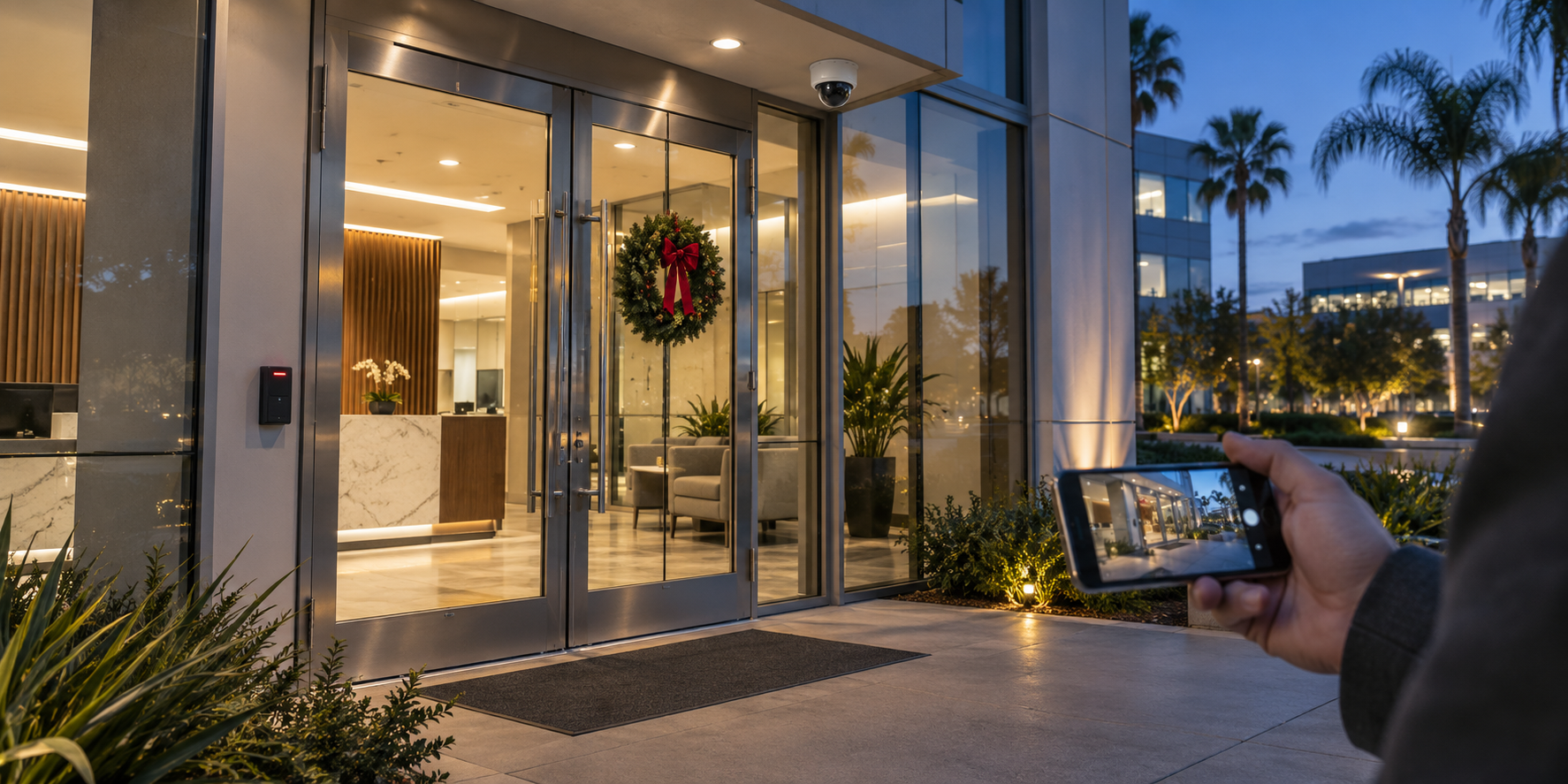
Imagine a side-door alert arriving at 7:42 p.m. during a holiday closure.
The system detects the event correctly. The notification reaches the facilities manager’s phone. But the manager is traveling, the backup contact is also on vacation, and the employee copied on the alert assumes someone else is handling it.
The technology has done its job. The response has stalled.
Holiday office security depends on the relationship between building systems, access permissions, and the people responsible for taking action. Thanksgiving weekends, December shutdowns, and reduced staffing can expose gaps that remain less visible during a normal workweek.
Before employees leave, facilities and security teams should be able to answer a specific question:
If something happens while the office is closed, who will receive the alert, who will make the decision, and who can carry out the response?
A practical pre-closure review connects those responsibilities and confirms that the systems support them.
Define What “Closed” Means for Your Building
An office closure rarely means that nobody will enter.
Cleaning crews may follow a modified schedule. Contractors may use the quiet period for maintenance. Employees may return for equipment. Deliveries may continue even when reception is unstaffed.
Start with a written closure plan that identifies the last staffed day, any early departures, the fully closed period, and the reopening time. Record times in each location’s local time zone.
Then identify who is expected to enter during that period, which entrances they will use, and who has approved their visit.
For organizations in shared buildings, coordinate with property management. The landlord may control the lobby, parking garage, elevators, or loading dock while the tenant controls access to its own suite. Both plans need to support the same operating schedule.
Assign one person to maintain the closure plan and distribute changes. Otherwise, security may work from one schedule while cleaning, facilities, and building management work from another.
Review Door Schedules, Credential Permissions, and Alarm Settings Separately
A holiday added to a company calendar does not necessarily change the building’s security configuration.
Several settings may need independent review.
Door schedules determine when an entrance is automatically unlocked or secured. A lobby door following its ordinary weekday schedule could unlock while the office is empty.
Credential permissions determine which people can enter, through which doors, and at what times. A secured entrance may still admit someone whose access remains valid.
Intrusion alarm schedules determine when monitored areas are armed or disarmed. These should accommodate approved occupancy without leaving unnecessary areas unprotected.
Notification schedules determine when configured events produce notifications. A rule limited to normal working hours could leave the closure period uncovered.
Platforms such as Verkada support door schedule exceptions for holidays and separate settings for access-event notification times and recipients. The review should confirm how these features are configured in the organization’s actual environment.
Check the entire closure period, including an early finish before the holiday, an additional company day off, and the first morning back.
Where supported, use temporary exceptions with defined start and end times. Confirm which doors, groups, and locations each exception affects, and verify what happens when it expires.
Changing entry permissions must also preserve established emergency exit functions and fire and life-safety integrations.
Give Temporary Access a Clear End Date
Holiday maintenance can lead to hurried access decisions: a spare badge handed to a contractor, a shared code sent to a cleaning supervisor, or a visitor credential extended without a documented expiration.
Review temporary access before the closure.
For each credential, confirm the individual using it, the business reason, the approved areas, the permitted hours, and the expiration date. Identify the employee or manager responsible for the visit.
Where the system supports it, issue individual credentials restricted to the doors and time periods required. Verkada’s visitor access documentation, for example, describes controls for sites, doors, access schedules, maximum duration, and visit start and end dates.
Also review existing access for former employees, completed contractors, lost badges, and temporary personnel whose assignments have ended. Include physical keys and shared entry codes in the review.
A key cannot expire through software. Its holder and return arrangements need to be documented.
For authorized holiday work, access is only part of the plan. Establish who will manage alarm status, confirm that everyone has left, and verify that the area is secured afterward. Do not assume that the ability to unlock a door includes permission or knowledge to disarm the alarm.
Replace an Outdated Contact List With Confirmed Coverage
Being listed as an emergency contact does not mean someone is available.
Build the holiday response roster around confirmed availability for specific dates and times. Assign a primary responder and a backup for each location or coverage period. Identify the next escalation point if both are unavailable.
Each person should explicitly accept the assignment.
Confirm that the responder can receive notifications, sign in remotely, complete multifactor authentication, and access the information needed to assess an event. Someone may receive an alert successfully but lack permission to view the relevant camera or alarm details.
Test from the device and connection the person will actually use while away. Review notification permissions, focus settings, and call filtering so expected monitoring calls and critical alerts can reach them.
Keep access proportional to the role. Responders should use their own authorized accounts, with the permissions needed for their duties.
Finally, establish how responsibility changes hands. A brief handover should identify unresolved incidents, scheduled contractor visits, equipment faults, and any temporary settings still in effect.
Every coverage period needs a named owner who knows they are responsible.
Confirm What Your Monitoring Service Will Actually Do
Remote access, event notifications, video verification, professional monitoring, and emergency dispatch provide different functions.
A camera application may let a manager view footage without anyone else reviewing events. A notification may reach several people without triggering a monitoring-center response.
Even within a single platform, response modes can differ. Verkada’s New Alarms documentation distinguishes self-monitored responses, video verification without automatic dispatch, and modes that involve emergency dispatch. The selected configuration determines the response process.
Before the closure, review the active service and configuration with the appropriate provider. Confirm which sites, devices, and event types are included, what verification occurs, and what happens if contacts do not answer.
Check the property address, suite or building identifier, contact order, and authorized responder information. Provide entry instructions through approved secure channels.
Also confirm who handles physical attendance. A monitoring service, property manager, security patrol, and equipment support provider may have different responsibilities.
Document those boundaries before an incident requires several people to coordinate under pressure.
Write an Escalation Plan People Can Follow
“Call facilities if there is a problem” leaves too much unresolved.
The response plan should identify who assesses the event, what actions they are authorized to take, and how responsibility passes to another person or service.
Use event categories that reflect the building’s risks:
| Event | Initial responsibility | Escalation to define |
| Suspected intrusion or forced entry | Designated security responder or monitoring service assesses available information under the established procedure | Emergency response, authorized site attendance, and leadership notification |
| Door held open | Assigned responder checks the location and any approved activity | Property management or authorized personnel to secure the entrance |
| Camera, controller, or alarm device offline | Facilities, IT, or the relevant service provider assesses the affected coverage | Temporary protective measures and repair priority |
| Water leak, temperature, or other monitored building condition | Facilities responder determines the location and urgency | Building management, maintenance contractor, or emergency assistance as appropriate |
Set acknowledgment and escalation expectations according to event severity and the site’s operating procedures. Do not invent one response time for every type of notification.
For urgent threats to life or safety, emergency action should follow the established emergency procedure without waiting for a routine management approval chain.
Define what counts as acceptance of responsibility. Opening a message does not necessarily mean the recipient has taken ownership.
The plan should also explain what closes an incident. Acknowledgment, investigation, corrective action, and resolution are separate stages. A door alert should not be considered resolved merely because someone has seen it.
Keep a short response guide accessible to authorized personnel, including an approved alternative if the main security platform is unavailable. Store credentials and sensitive entry information separately and securely.
Reduce Repeated Alerts Before the Office Empties
A door that generates frequent nuisance alerts during the workweek can become a serious distraction during a holiday closure.
Review recent events for repeated door-held-open notifications, unstable devices, sensors triggering during authorized work, or alerts reaching the wrong recipients.
Investigate the cause. A poorly closing door may need mechanical attention. A cleaning schedule may need a documented exception. An alert may require a more appropriate recipient or configuration.
Avoid broadly silencing notifications to make the holiday quieter. Correct the fault or apply a narrowly scoped, approved adjustment.
Where detection depends on installed hardware, verify that the hardware is present and functioning. Verkada, for example, specifies a door position indicator for several access-event alerts, including door-held-open and door-forced-open events.
An enabled rule is useful only when the underlying system can reliably detect the condition it is intended to report.
Test the Response From Detection Through Resolution
A dashboard showing devices online is a useful starting point. The pre-closure test should also confirm that the operational process works.
Coordinate controlled testing with the monitoring provider and affected teams so it does not cause an unintended dispatch or disruption.
Test representative events and follow them through the response process. Confirm that the correct location appears, the intended recipient receives the notification, the responder can access the necessary information, and the backup process works.
Include a tabletop exercise in which the primary contact is unavailable. Ask the backup to explain what they would do and where they would find the relevant information.
Check supporting infrastructure as well: network connectivity, equipment power, backup power condition, and any supported backup communications. Document which functions remain available during an outage and which depend on connectivity.
After testing, restore the approved operating configuration. Confirm that test modes, temporary bypasses, and notification changes have been removed or intentionally retained with documented ownership.
Record the results and assign unresolved issues to named people with completion dates.
Walk the Building Before the Final Departure
Software settings cannot identify every physical problem.
Complete a final walkthrough while there is still time to correct issues. Check that doors close and latch, windows are secured, and deliveries or furniture have not obstructed entrances, exits, cameras, or sensors.
Review changes introduced by holiday decorations, temporary displays, maintenance work, or storage. Confirm that camera views remain useful under the lighting conditions expected during the closure.
Check sensitive areas, including equipment rooms and locations containing valuable devices or confidential records.
Assign responsibility for the final departure. That person should confirm who remains in the building, verify the intended alarm state, and record any outstanding exceptions.
For an approved overnight task or maintenance visit, document the later handover instead of assuming the building is empty.
A Holiday Office Security Review Facilities Teams Can Use
Begin early enough to repair faults and confirm coverage before Thanksgiving or a December shutdown.
| Review item | What should be confirmed before closure |
| Closure and occupancy plan | Exact dates, local times, approved visits, and reopening arrangements |
| Access schedules | Door behavior and credential permissions match the closure plan |
| Temporary access | Named users, limited scope, expiration dates, and key-return arrangements |
| Response roster | Primary and backup responders have accepted their coverage periods |
| Monitoring and escalation | Active service scope, contact sequence, and response responsibilities are understood |
| System readiness | Relevant devices, notifications, remote access, and supporting infrastructure have been checked |
| Final handover | Walkthrough completed, operating settings restored, and unresolved issues assigned |
Keep evidence of completion: approved schedules, test records, contact confirmations, and the final handover note.
For organizations with multiple locations, use a common review format while allowing for different operating hours, service providers, and building arrangements.
A Practical Example: An Open Door During a Holiday Visit
Consider an approved maintenance contractor entering an otherwise closed office.
The contractor has an individual credential limited to the required entrance and work period. The visit is recorded in the closure plan, and the holiday responder knows it is scheduled.
A door-held-open alert arrives. The responder checks the event and available video, contacts the contractor through the approved contact record, and arranges for the entrance to be secured.
The responder then verifies the door status and records the outcome. If the activity does not match the approved visit or suggests a threat, the incident follows the security escalation procedure.
After the work is complete, the assigned person confirms departure and the intended alarm state.
This example shows how permissions, notifications, context, and ownership work together. Each step removes a decision that would otherwise have to be improvised.
Review the Closure When Employees Return
Assign someone to confirm that normal schedules have resumed, temporary access has ended, and any approved overrides have been removed.
Review incidents, missed notifications, contractor visits, and equipment faults. Identify where responders lacked information or where responsibility was unclear.
Use the findings to improve the next closure plan. A Thanksgiving review can inform December preparations while the experience is still fresh.
How BCS Consultants Supports Holiday Security Planning
BCS Consultants provides security and surveillance solutions spanning video security, access control, alarms, and system design. Its cloud-based alarm solutions include options for professional monitoring, video verification, and emergency dispatch capabilities.
A holiday security review creates an opportunity to examine how those systems support the organization’s actual operating procedures: who needs access, which events need attention, and what information responders require.
BCS can help organizations discuss system configuration, integration, and equipment needs alongside their internal response responsibilities and selected monitoring arrangements.
Before your next office closure, contact BCS Consultants to review your security systems and identify gaps in access, visibility, and response readiness.
