When each location manages its own music, speakers, and announcements, routine changes can become a series of phone calls. A facilities manager may need to contact individual sites to adjust volume, check whether equipment is working, or make sure the right message reaches the right people.
Verkada Sound Systems brings these tasks into Command, Verkada’s cloud management platform. Organizations can manage background music, announcements, and audio-device status across locations through a shared interface.
For BCS Consultants, the opportunity starts with how a business operates. A useful commercial audio system should give staff straightforward controls, provide IT with visibility, and deliver appropriate coverage throughout each space.
Central oversight with control for individual locations
A retail chain may want consistent music across its stores while allowing local staff to adjust volume. A corporate campus may need separate audio settings for reception, employee areas, and outdoor spaces. These requirements call for a clear structure for zones and permissions.
Verkada Sound Systems organizes devices into spaces and zones, with management available at different organizational levels. Administrators can make changes through web and mobile interfaces and assign access according to each team member’s responsibilities. They can also see whether devices are online or offline.
This creates a practical starting point for support. A central team can check device status and settings before asking local employees to investigate. During design, BCS helps define which controls belong to site staff and which should remain with facilities or IT.
Managing background music through Command
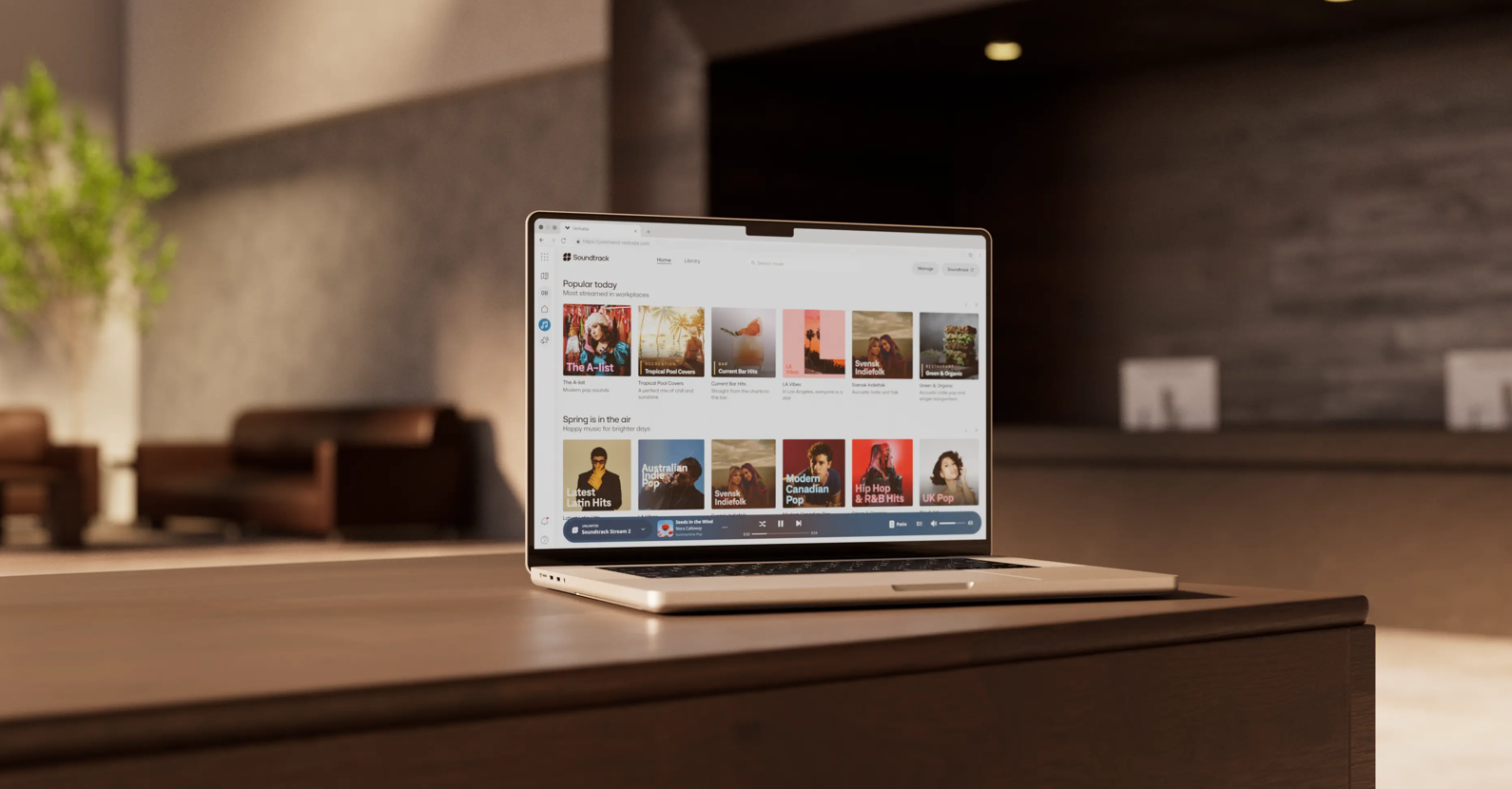
Through its integration with Soundtrack, Verkada Sound Systems lets administrators select and stream commercially licensed music from Command. Playlists can be deployed across locations, bringing music selection into the same interface used for audio management. [1]
For an organization with a defined customer experience, this could simplify the work of maintaining appropriate music across its portfolio. Local variations can still matter. A reception area, busy retail floor, and outdoor gathering space may need different content or volume settings.
The deployment plan should identify who selects playlists, who can change them, and which commercial-music entitlements the organization needs.
Sending announcements to the places that need them
Sound Systems supports announcements created with text-to-speech or a device’s microphone. Administrators can select locations for delivery, and built-in translation can play a message sequentially in multiple languages. [1]
Potential uses include closing reminders, visitor instructions, or operational updates across selected facilities. A consistent message can be prepared centrally and sent to the intended audience without calling each site.
Announcement design should account for background noise, language requirements, and who is authorized to broadcast. BCS can help plan coverage and coordinate everyday announcements with the facility’s existing paging and emergency-notification infrastructure.
Choosing between network speakers and existing audio equipment
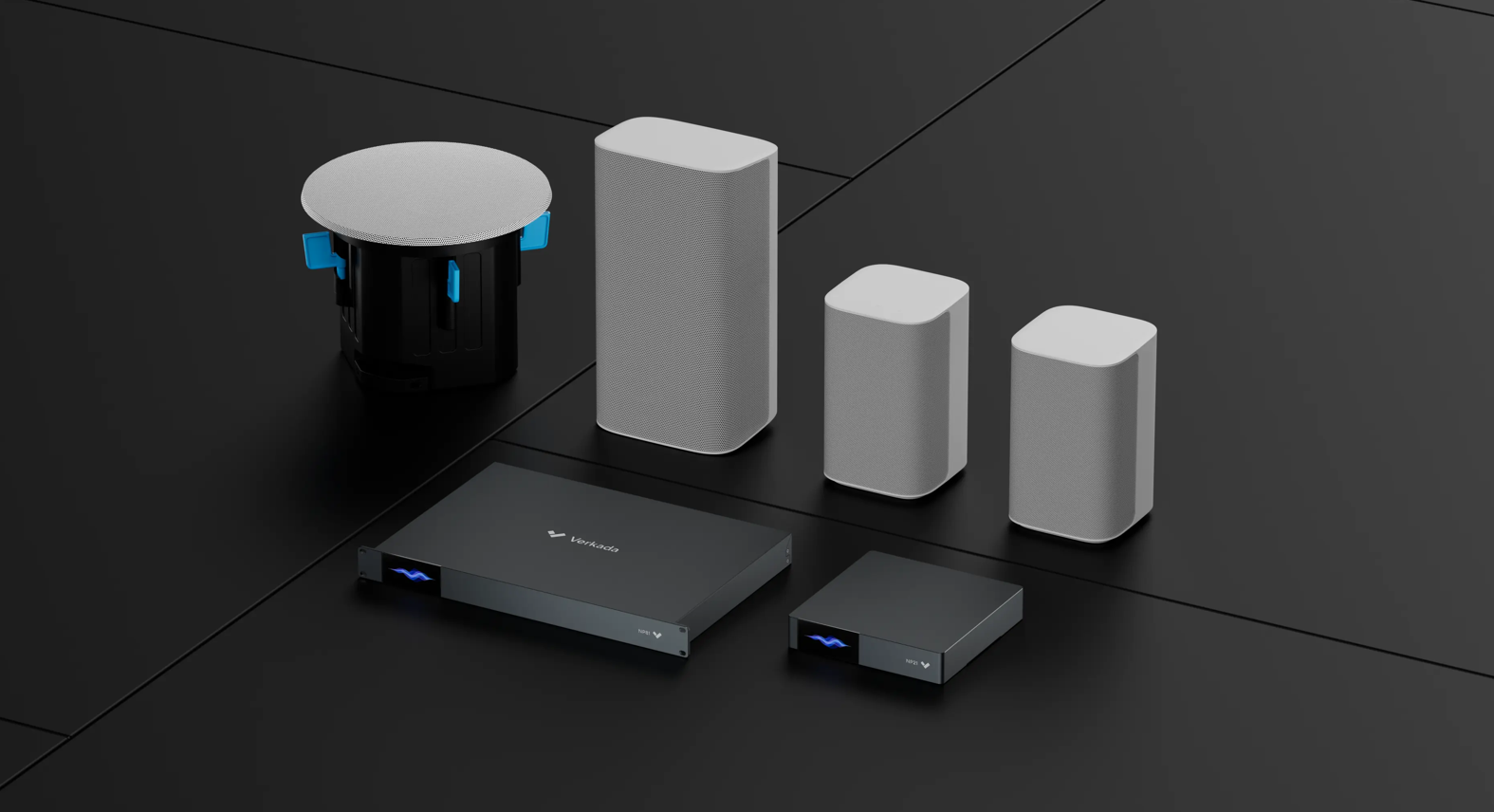
Verkada offers two hardware approaches. Network speakers suit projects that need new speakers and direct network connectivity. Network audio players connect compatible existing audio equipment to cloud management, allowing an organization to modernize in stages.
| Hardware | Relevant capability | Potential application |
| NS151 | 4-inch speaker with Ethernet and Wi-Fi | Offices and smaller rooms |
| NS261 | 6.5-inch in-ceiling network speaker | Discreet coverage in finished interiors |
| NS631-E | 6.5-inch outdoor surface-mount network speaker | Outdoor areas requiring suitable coverage |
| NP21 | Network audio player with two line outputs | Connecting an existing audio system |
| NP81 | Network audio player with sixteen line outputs | Larger installations with more audio connections |
The current network-speaker range supports Power over Ethernet, with model-specific power requirements. The NS151 also supports AC power. Audio players provide line-level connections for integration with existing equipment. [2][3]
For sites with working amplifiers and speakers, an audio player may preserve useful equipment while adding centralized control. The existing system’s condition, connections, amplification, and coverage still need assessment. Line-level outputs should be matched to the appropriate audio equipment as part of the design.
Across a portfolio, the result may be a mixed deployment: network speakers in new spaces and audio players at sites where existing infrastructure remains suitable. Confirm model availability and compatibility when specifying the project.
Connecting audio with security and front-desk workflows
Sound Systems also integrates with Verkada Alarms and Desk Station. With the appropriate Alarms integration, network speakers can play automated warning messages in response to camera-detected activity. Desk Station gives staff access to functions such as volume adjustment, song selection, and announcements without full Command access. [1]
These functions should reflect the site’s operating procedures. Security teams need to define which events should trigger a warning, where it should play, and who reviews the response. Front-desk staff need controls that fit their daily responsibilities.
Planning the infrastructure and ongoing costs
Cloud management simplifies administration, while the installation still depends on the physical environment. Before selecting equipment, review ceiling height, background noise, mounting conditions, cable routes, and the areas where speech must be understood.
Network planning should cover Ethernet availability, the selected devices’ PoE requirements, switch power capacity, and internet connectivity. A Wi-Fi connection may help in some NS151 installations, but power and wireless coverage still require planning.
Existing audio equipment should be documented before a migration. Record amplifier connections, speaker circuits, zone assignments, and the controls staff currently use. This helps establish what can be retained and where changes are needed.
Budgeting should also include ongoing services. Verkada’s published hardware pricing specifies that an additional license is required. A complete proposal should identify hardware, platform licensing, music-service requirements, installation, and support so the organization can assess the total cost. [4]
For a larger rollout, consider piloting a representative site. Test music coverage, announcement clarity, staff permissions, and support procedures before applying the design to additional locations.
How BCS Consultants can help
BCS Consultants helps organizations evaluate technology around their facilities, users, and operational requirements. As a Verkada partner and commercial AV integrator, we can help assess where cloud-managed sound fits within your broader audio, networking, and physical-security plans.
Our role includes reviewing existing equipment, planning audio zones and network infrastructure, coordinating installation, and establishing a manageable handover for staff. For organizations with multiple locations, that also means defining consistent standards while accommodating differences between sites.
The right starting point is an assessment of what your teams need to hear, control, and maintain. That gives the project a clear basis for choosing new speakers, retaining existing equipment, or combining both approaches.
Talk to BCS Consultants about planning a commercial audio system for your facilities.
You must be logged in to post a comment.