
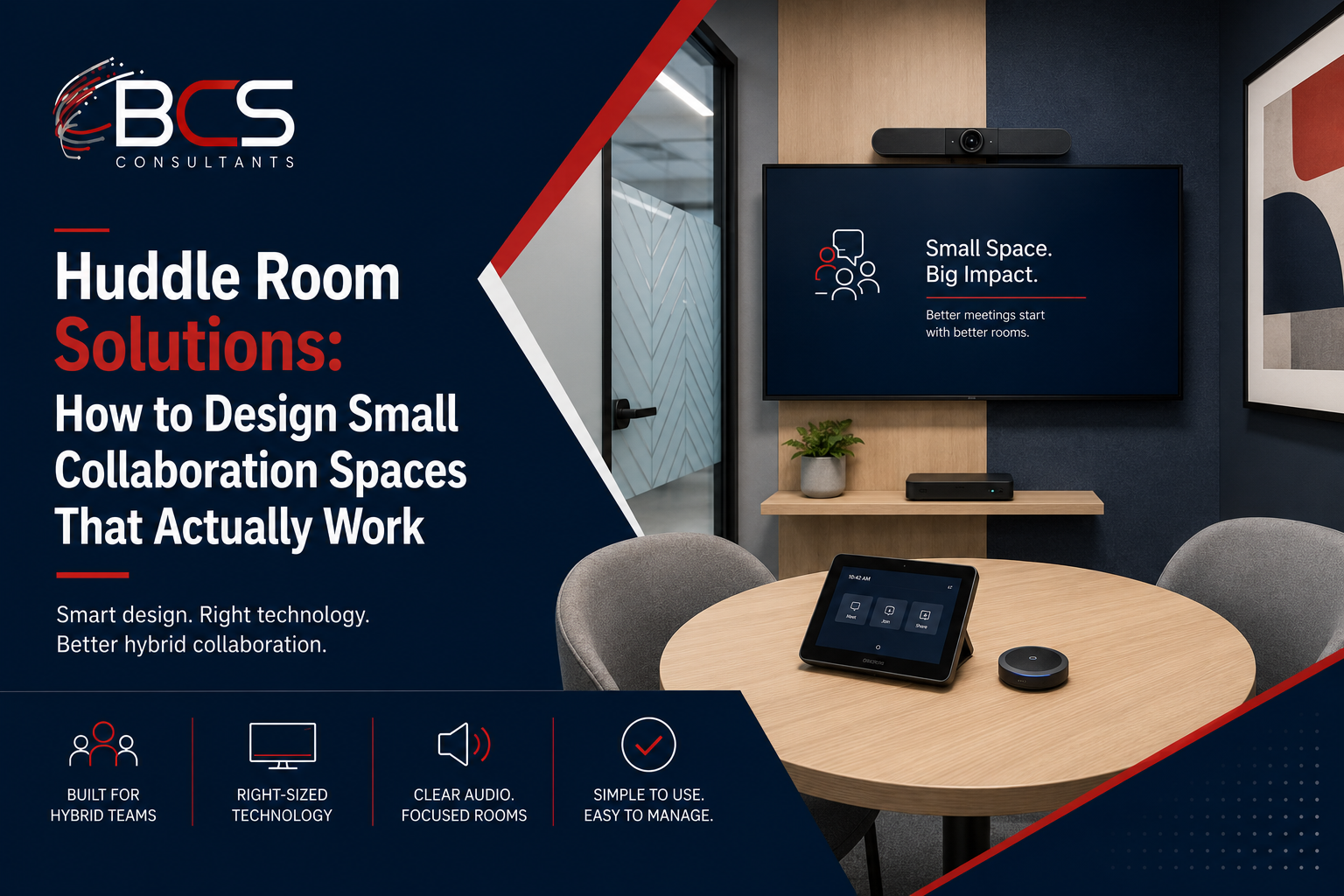
Huddle rooms are the most frequently installed and the most frequently disappointing conference room type in the modern office. They fail so often that there is a name for it: the bad huddle room — a small room with a screen on the wall, a Bluetooth speakerphone on the table, and a camera that turns every participant into a postage stamp-sized image that remote colleagues strain to see.
The problem is not that huddle rooms are hard to get right. It is that the AV decisions are made by people who do not ask the right questions before specifying hardware. This guide covers the questions that separate a huddle room that actually improves hybrid collaboration from one that creates the same frustration as a laptop camera and a conference call.
What Is a Huddle Room?
A huddle room is a small, enclosed collaboration space typically designed for two to six participants. It is smaller and less formal than a conference room — intended for quick team check-ins, one-on-one calls, small group collaboration, and focused work with a few colleagues rather than formal meetings with large groups.
The AV requirements of a huddle room are simpler than a conference room — the space is smaller, the participant count is lower, and the acoustic complexity is reduced — but they are not so simple that any combination of hardware will work. Poor huddle room AV is consistently the norm rather than the exception, and it undermines the value of the space.
The Most Common Huddle Room AV Failure Modes
Camera angle and coverage: The most common huddle room camera failure is placing a camera below or at the same level as the display, resulting in an unflattering up-angle view of participants and a field of view that may not capture everyone at the table. A camera positioned at eye level, with a wide enough field of view to capture the full table, is the correct specification. All-in-one video bars address this by integrating the camera at the top of the device, at an appropriate height for the display it is mounted with or above.
Microphone pickup distance: A small Bluetooth speakerphone placed in the center of the table works well for participants seated close to it. For a huddle room where participants may sit at the far end of a four or six person table, that speakerphone may not reliably capture voices. The microphone pickup radius of the specific device must be matched to the table dimensions.
Display sizing relative to wall distance: A display that is too small for the distance between the viewer and the screen makes content difficult to read and remote participants difficult to see clearly. The standard recommendation is to calculate the appropriate display size based on the distance from the front row of seating to the display — BCS Consultants uses a viewing distance ratio to specify the minimum display size for each room configuration.
No one-touch meeting start: A huddle room that requires participants to find a cable, switch inputs, enter a meeting code, and troubleshoot a connection before every meeting loses five minutes per meeting to AV friction. One-touch meeting start — where the room connects to the calendar meeting automatically when a participant touches the display or a dedicated button — is achievable in huddle rooms without a full Crestron room automation installation.
Specifying the Right All-in-One Video Bar
For most huddle room applications, an all-in-one video bar is the appropriate hardware solution. An all-in-one video bar integrates the camera, microphone array, and speaker in a single device that mounts to or below the display, connects to the room via HDMI for display output and USB for audio/video to the computing device, and often includes built-in compute running Teams Rooms or Zoom Rooms software.
The specifications that matter when selecting a video bar for a specific huddle room:
Field of view: The camera field of view must be wide enough to capture all participants at the table without requiring them to be positioned in a specific narrow zone. A field of view of ninety to one hundred and twenty degrees covers most huddle room table configurations for two to four participants.
AI auto-framing: Auto-framing automatically crops and adjusts the camera view to frame the people who are actually present, rather than showing a wide shot of an empty room with two people in one corner. For a two-person meeting in a four-person huddle room, auto-framing makes a significant quality difference to the remote participant experience.
Microphone range: The manufacturer-specified microphone pickup radius should cover the full table length for the room's seating configuration. For a four to six person huddle room with a longer table, verify the pickup specification covers the full seated distance.
Computing device: All-in-one video bars that include a built-in Android or Windows compute device running Teams Rooms or Zoom Rooms eliminate the need for a separate codec and provide the one-touch meeting experience directly.
Leading all-in-one video bar options for huddle rooms include the Logitech Rally Bar Mini, Logitech MeetUp, Poly Studio X30, and Yealink MeetingBar series, each with specific strengths for different room size and budget requirements.
Wireless Content Sharing in Huddle Rooms
Huddle rooms benefit from wireless content sharing for the same reason larger conference rooms do: presenting from a laptop or tablet without a cable is faster and more reliable than the traditional HDMI cable hunt. For huddle rooms, ClickShare's smaller CX-20 unit is sized and priced appropriately for the application.
For huddle rooms running a Teams Rooms or Zoom Rooms all-in-one device, content sharing from a laptop is often handled through the platform's own wireless sharing capability — Teams allows BYOD cable connection or wireless casting from the Teams application on a laptop without a separate wireless presentation device.
One-Touch Meeting Start Options for Huddle Rooms
Full Crestron room automation — the standard for large conference rooms and boardrooms — is typically not cost-justified for small huddle rooms. But one-touch meeting start is achievable for huddle rooms through simpler paths.
Teams Rooms and Zoom Rooms certified all-in-one devices with integrated compute provide one-touch calendar meeting join natively. The touch panel on the device shows the calendar meeting, and the participant touches to join. This requires a resource account for the room and calendar integration setup, but no separate control system programming.
For huddle rooms running a third-party codec with a separate display, a simple touch panel from Logitech Tap or an equivalent platform can provide calendar meeting join without the complexity of a full Crestron installation.
Frequently Asked Questions
How many people should a huddle room AV system support?
For a two to four person huddle room, an entry-level all-in-one video bar with a single display is appropriate. For a five to six person huddle room where the table is larger, a mid-range video bar with extended microphone pickup and a larger display should be specified.
What is the minimum display size for a huddle room?
The appropriate display size depends on the distance from the front row of seating to the display. As a general guideline, a four to six foot viewing distance typically requires at least a fifty-five inch display for comfortable viewing. BCS Consultants uses a viewing distance calculation to specify the correct size for each room.
Can a huddle room share space with a phone booth for individual calls?
Yes, but the acoustic design requirements differ. A phone booth is designed for one person making a private call — it needs acoustic isolation from the surrounding space. A huddle room is designed for small group collaboration — it needs enough acoustic treatment to prevent the group's conversation from being distracting to people just outside the room. BCS Consultants designs both types of small-format collaboration spaces.
Ready to get started? Design your huddle rooms with BCS Consultants · bcsconsultants.com/contact/contact-us/
